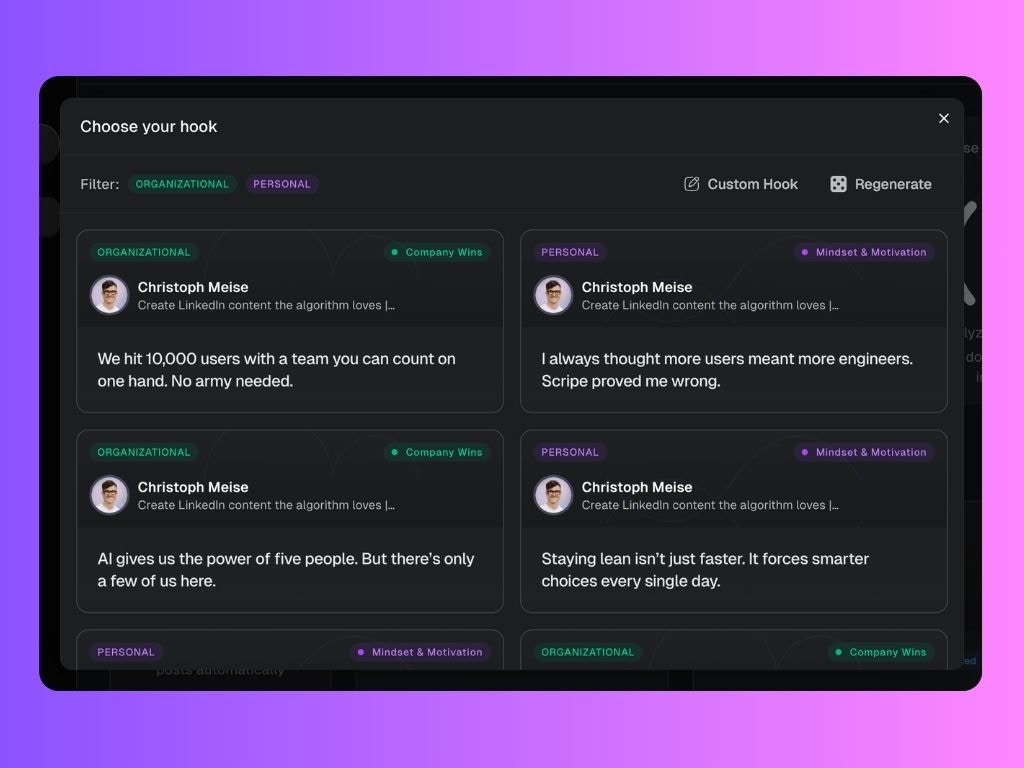
How to generate a post from a voice memo, in Scripe. This feature lets you speak your unfiltered thoughts — whether it’s an idea, a note, or a full-on brain dump — and instantly transform them into a professional LinkedIn post.Documentation Index
Fetch the complete documentation index at: https://docs.scripe.io/llms.txt
Use this file to discover all available pages before exploring further.
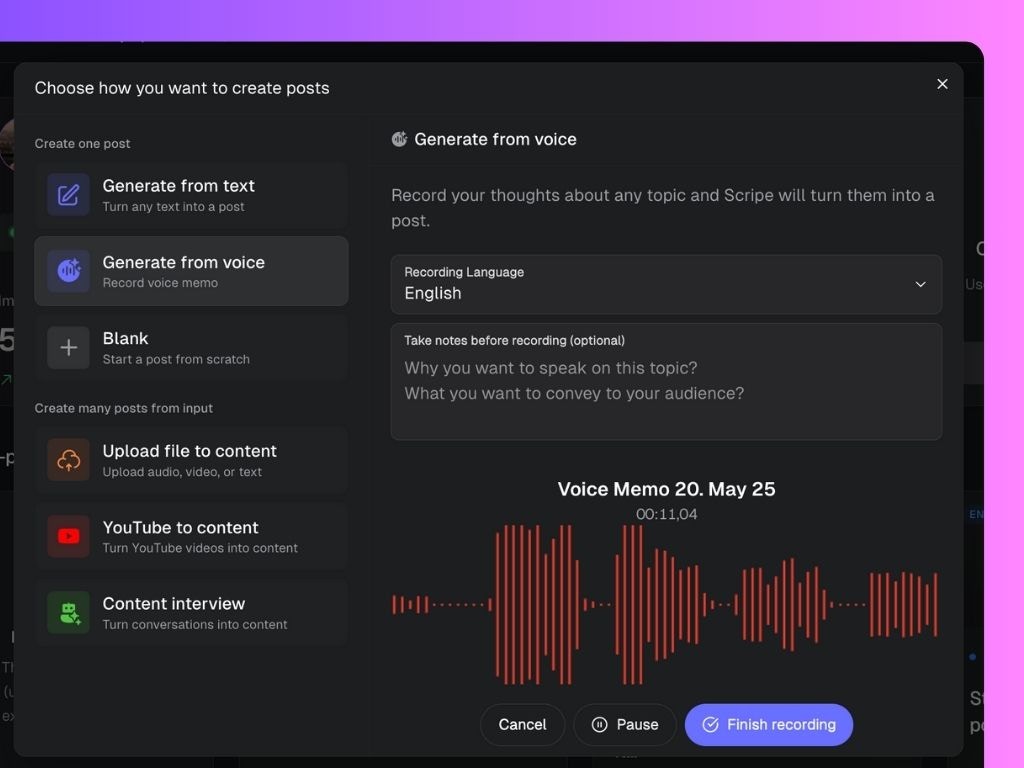
How to Use It
- On your Scripe dashboard, click the “Create posts” button (top-left sidebar)
- In the pop-up menu, select “Generate from voice”
- Choose your recording language
- (Optional) Add quick notes to guide your recording
- In the note box, you can write a few bullets to help guide your recording. These notes won’t be shown anywhere, they’re just for you.
- ✏️ Why are you talking about this topic?
- ✏️ What do you want your audience to take away?
- In the note box, you can write a few bullets to help guide your recording. These notes won’t be shown anywhere, they’re just for you.
- Click “Start voice recording” and speak your thoughts
- You can pause and resume if needed
- When finished, click “Finish recording”
- Choose a Hook, regenerate new hook options, or use a custom hook for your post