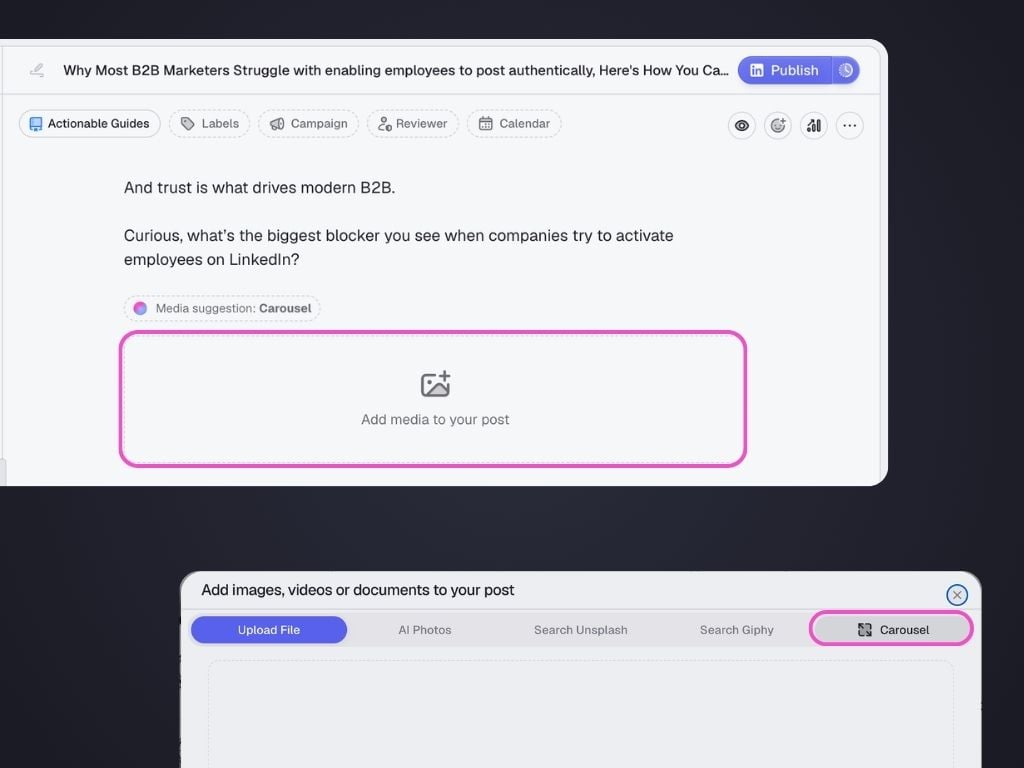
To create a new carousel:
- From your post editor, click the “Add Media” below the text draft.
- Go to the Carousel tab at the top to open the Carousel Editor.
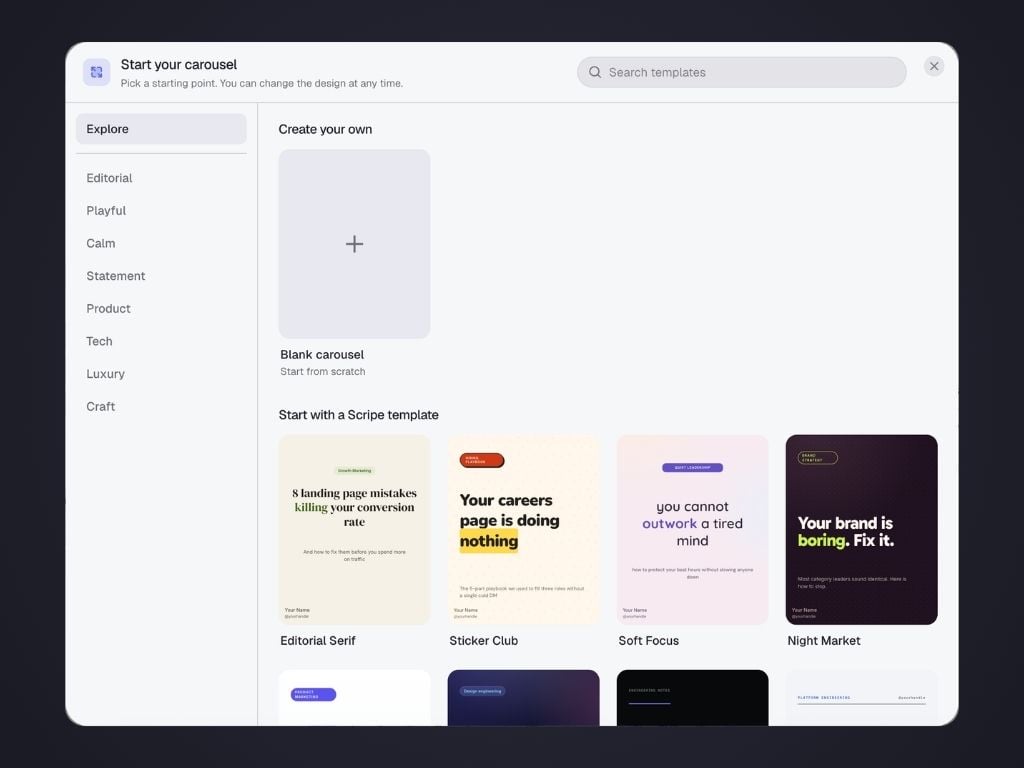
- Choose either:
- Blank carousel to start from scratch.
- One of the professionally designed Scripe templates.
Carousel Editor
1. Left Sidebar
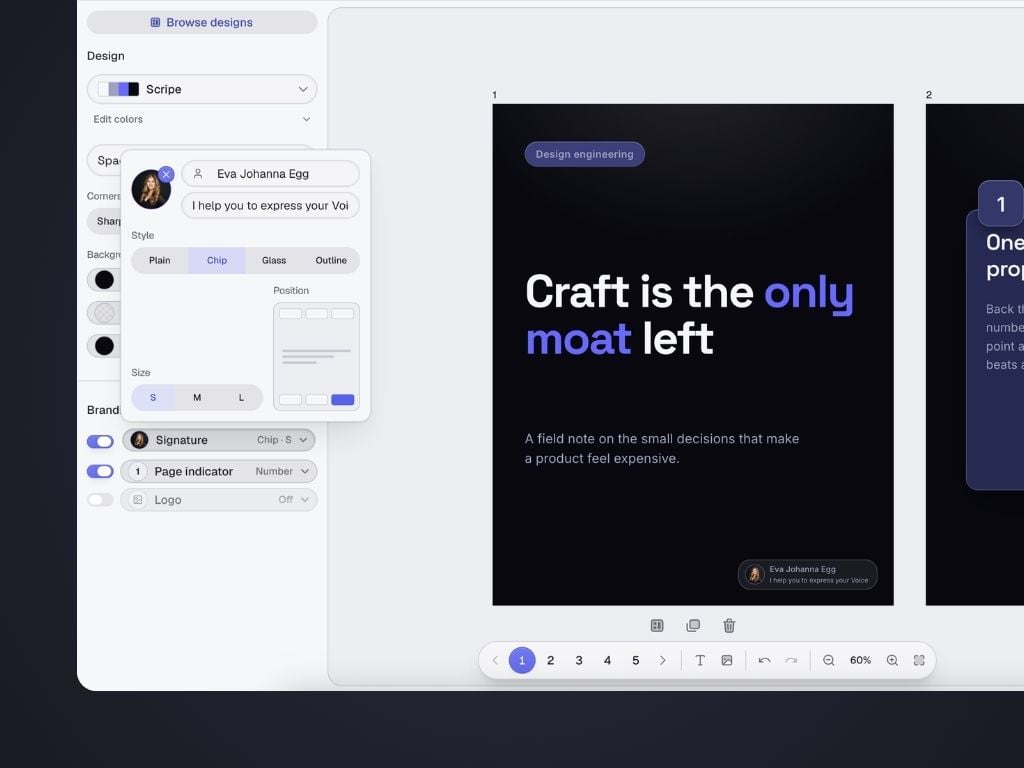
The left sidebar controls the overall appearance of your carousel. What you set up here applies to all slides in the carousel.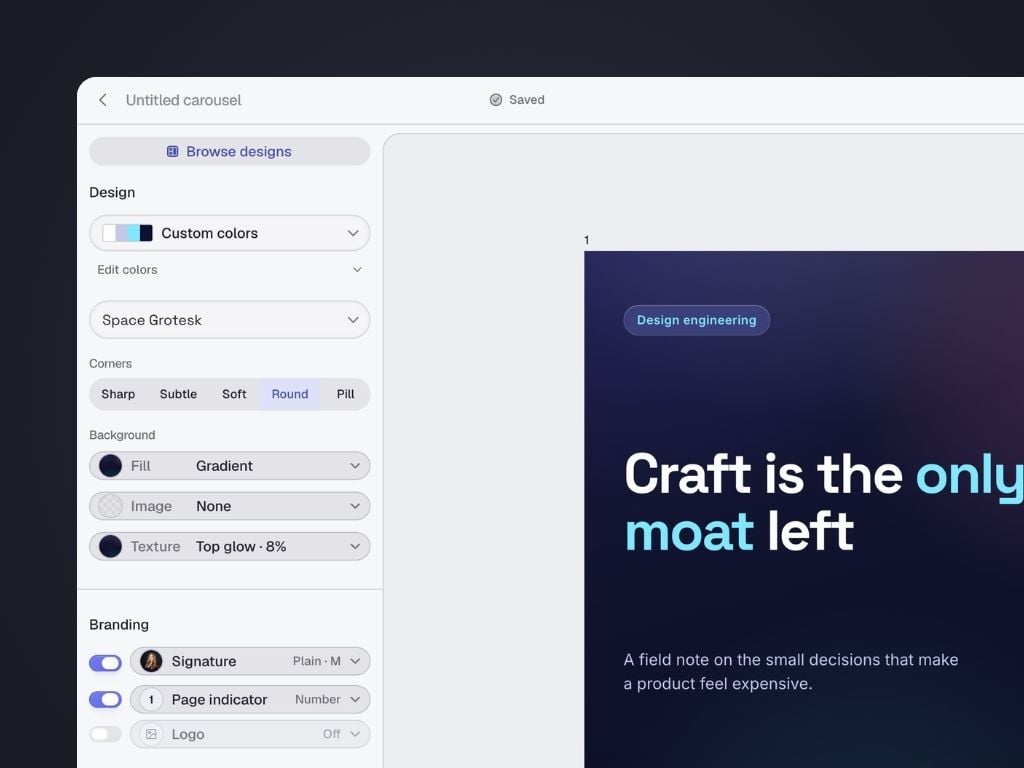
Design
Customize the look by adjusting:- Color palette – Choose one of Scripe’s themes or your own custom colors.
- Typography – Select the font combination used throughout the carousel.
- Corner style – Pick between Sharp, Subtle, Soft, Round, or Pill object corners.
- Background – Select between Solid fill, Gradient, or Image. Optionally add a texture.
Textures include subtle patterns such as dots, grids, and glow effects that give your slides more personality.
Branding
Customize the look by adjusting:- Signature – Automatically display your profile picture, name and tagline in all slides. Adjust size, style and positioning.
- Page Indicator – Help readers understand their progress through the carousel. Pick between available styles and positioning.
- Logo – Optionally display your company or personal logo throughout the carousel.
2. Canvas
The center of the editor is your working area. Here you can select any slide, click any element to edit it, rearrange content and preview your carousel as you build it. The currently selected slide is highlighted in the bottom navigation. The bottom toolbar also gives you quick access to the most common editing actions.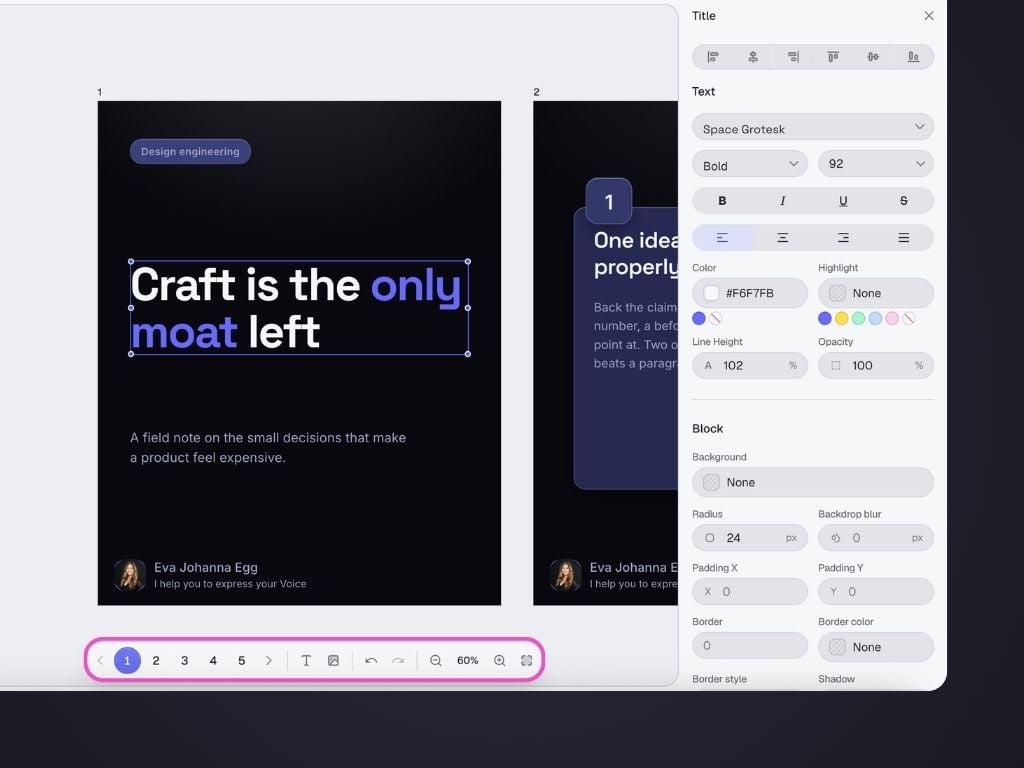
- Navigate between slides
- Duplicate a slide
- Delete a slide
- Add a text element
- Add an image
- Undo changes
- Redo changes
- Zoom in or out
- Fit the carousel to your screen
Adding new slides
To add a new slide, simply click the+ button on the canvas.
A layout library will open with slide designs that automatically match your carousel’s colors, fonts, and branding.
Layouts are organized into three categories:
- Entry – Cover slides and section introductions to kick off your carousel.
- Content – Main slide layouts for tips, text, quotes, images, statistics, and more.
- Outro – Closing slides with calls to action, follow prompts, or summaries.

3. Inspector
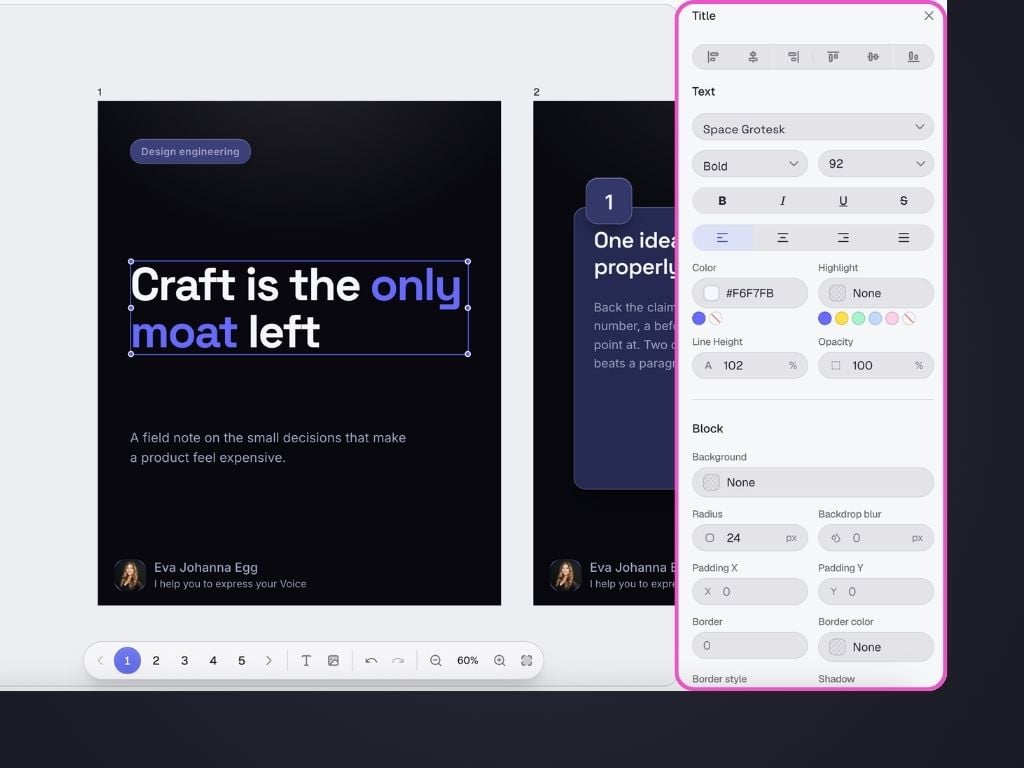
The Inspector appears as a right sidebar whenever you select an element. Its controls change depending on what you’ve selected. For example, for text elements, you can customize details such:- Font
- Weight
- Size
- Alignment
- Text color
- Highlight color
- Line height
- Opacity
4. Generating a carousel with AI
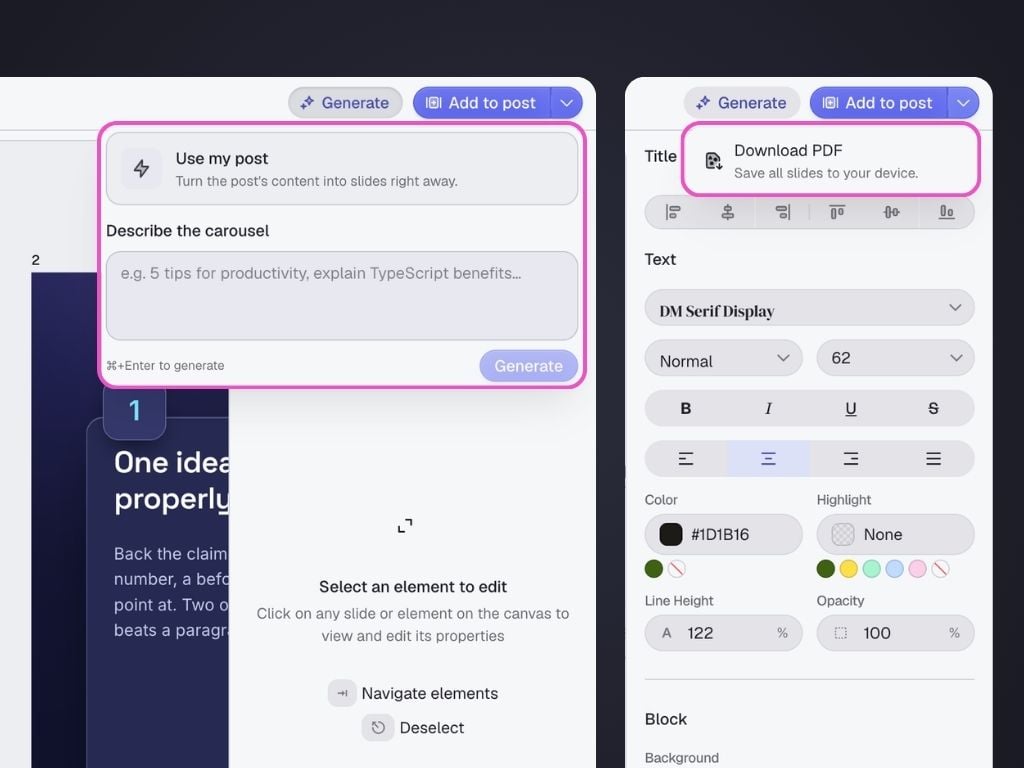
Click Generate in the top-right corner. You can either:- Describe the carousel you’d like to create
- Click Use my post to instantly transform your existing LinkedIn post into a carousel.
5. Saving & Exporting
Your carousel saves automatically while you work. At the top of the editor you’ll see one of three statuses:- Saving…
- Saved
- Unsaved
- Download the carousel as a PDF
- Add the carousel directly to your LinkedIn post for scheduling
6. Renaming your carousel
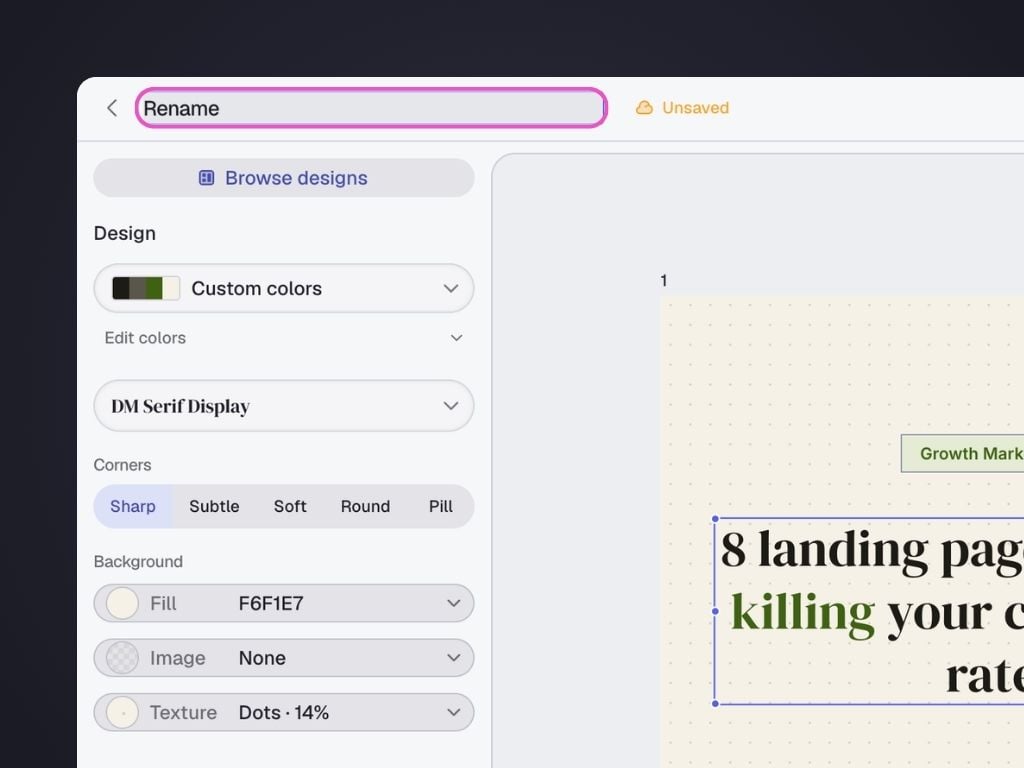
Click the carousel title at the top of the editor to rename it.