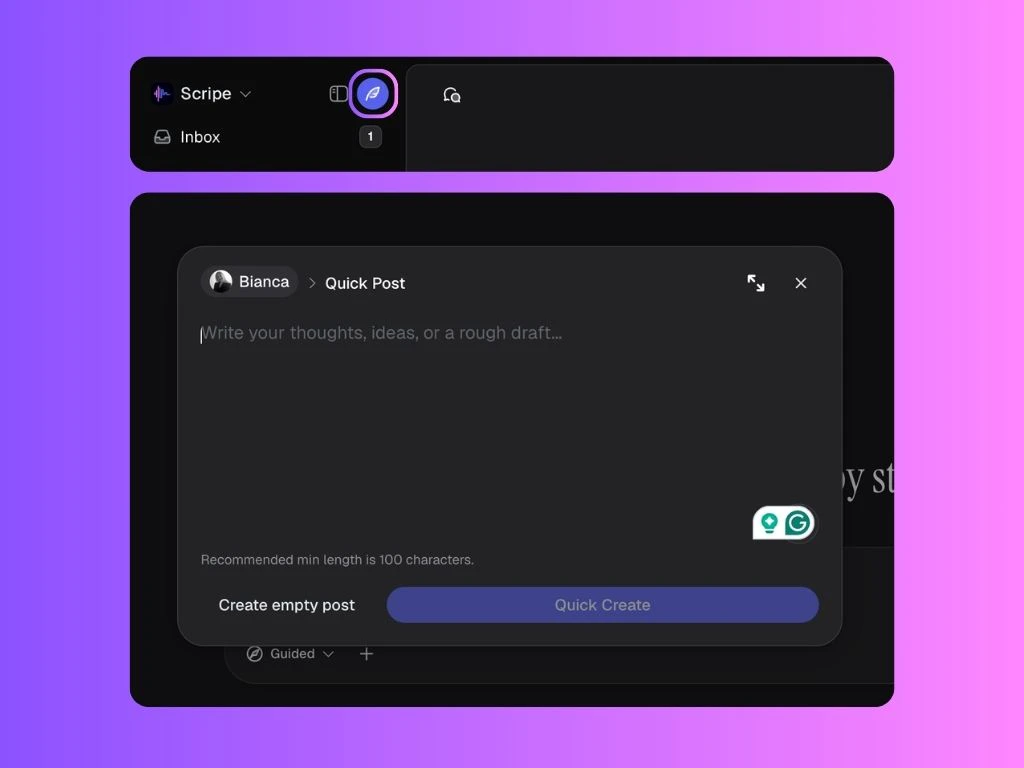
Quick Create allows you to instantly create a new post idea without using the chat.
You can access it by clicking the small feather icon next to your workspace name in the top-left corner of the dashboard.
Once opened, Quick Create gives you two options:
- quickly generate a post from text, thoughts, or rough ideas
- create an empty post to work on manually later
Create a Post from Text
Inside the Quick Create window, you can type:
- rough thoughts
- post ideas
- notes
- frameworks
- partial drafts
- random brainstorms
You do not need perfectly written text — even rough notes or unfinished thoughts work.
Create an Empty Post
If you prefer starting completely from scratch, you can click Create empty post.
This opens a blank post editor where you can manually write, edit, and develop your content yourself.