> ## Documentation Index
> Fetch the complete documentation index at: https://docs.scripe.io/llms.txt
> Use this file to discover all available pages before exploring further.
# Inbox
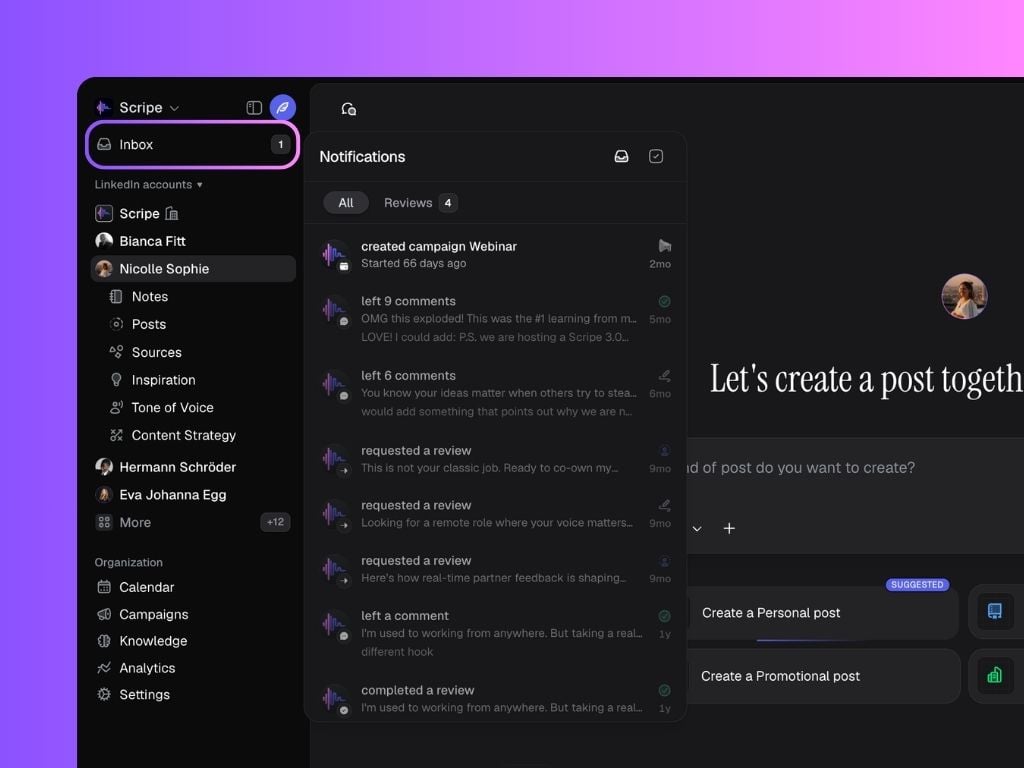
The **Inbox** keeps all your **Scripe notifications** organized in one place, from campaign updates to comments and product updates.
It helps you stay up to date with everything happening across your workspace without missing an important action.
## User-Specific & Personal-Brand-Specific
Your **Inbox** shows notifications based on **two contexts**:
* **User-specific** → These are notifications sent directly to you (for example, when a teammate mentions you in a comment or a post that you request review is approved or rejected).
* **Personal-brand-specific** → You’ll also see notifications related to the personal brand(s) you’re currently in — such as campaign updates, brand-wide comments, and product notifications.
This means your inbox adapts to both your individual activity and your Personal Brand’s content workflow, keeping everything centralized.
 ## Filtering Notifications
At the top of the inbox, you can filter what you see:
* **Unread & Read** → Shows all notifications
* **Unread** → Only new ones you haven’t opened
* **Archived** → Notifications you’ve marked as done
## Filtering Notifications
At the top of the inbox, you can filter what you see:
* **Unread & Read** → Shows all notifications
* **Unread** → Only new ones you haven’t opened
* **Archived** → Notifications you’ve marked as done