> ## Documentation Index
> Fetch the complete documentation index at: https://docs.scripe.io/llms.txt
> Use this file to discover all available pages before exploring further.
# Security & Access
The **Security & Access** page on Scripe allows you to manage your logged-in devices, monitor active sessions, and securely delete your account if needed.
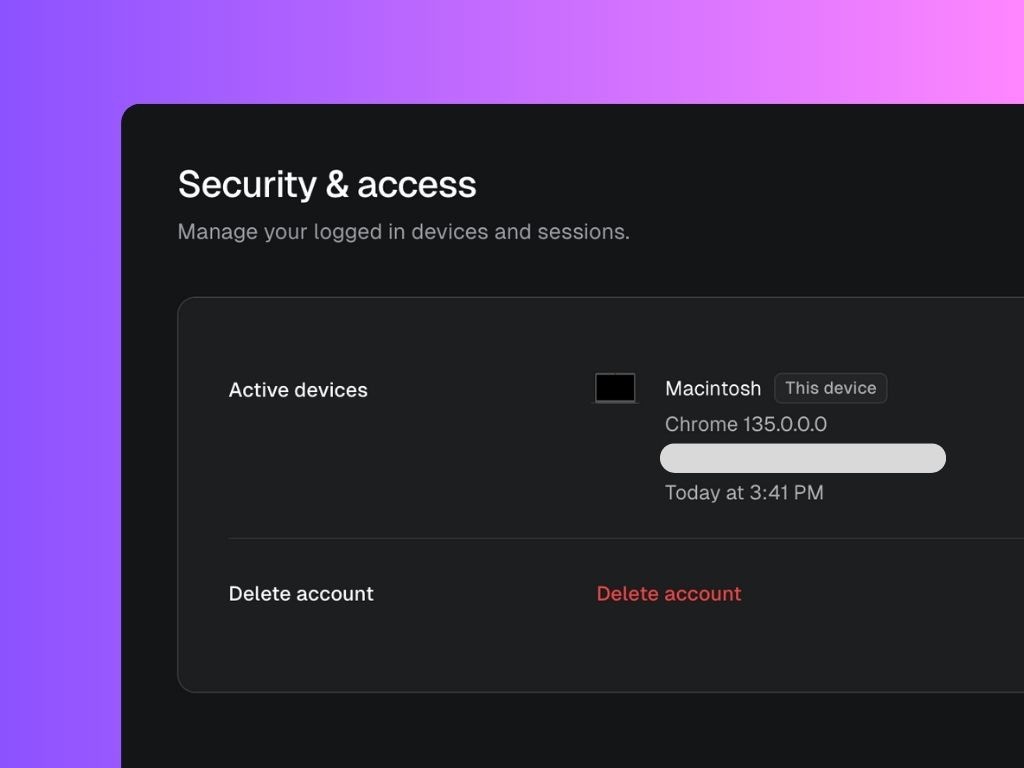 ## Active Devices
* Displays a list of devices currently logged into your Scripe account.
* Each device entry shows:
* Device name (e.g., Macintosh, Windows, etc.)
* Browser version (e.g., Chrome 135.0.0.0)
* IP address and approximate location
* Last activity timestamp
* Devices are labeled with **This device** if it matches the device you are currently using.
If you notice any unfamiliar devices, it’s recommended to immediately remove them and update your login information in the Profile Settings.
## Delete Account
* You can permanently delete your Scripe account by clicking the **Delete account** button.
* Deleting your account will remove all your data from Scripe.
Warning: This action **cannot be undone**.
## Active Devices
* Displays a list of devices currently logged into your Scripe account.
* Each device entry shows:
* Device name (e.g., Macintosh, Windows, etc.)
* Browser version (e.g., Chrome 135.0.0.0)
* IP address and approximate location
* Last activity timestamp
* Devices are labeled with **This device** if it matches the device you are currently using.
If you notice any unfamiliar devices, it’s recommended to immediately remove them and update your login information in the Profile Settings.
## Delete Account
* You can permanently delete your Scripe account by clicking the **Delete account** button.
* Deleting your account will remove all your data from Scripe.
Warning: This action **cannot be undone**.