> ## Documentation Index
> Fetch the complete documentation index at: https://docs.scripe.io/llms.txt
> Use this file to discover all available pages before exploring further.
# Notifications
Stay up to date with what matters most in your team's content workflow by configuring email or Slack notifications for key events.
Connect your Scripe workspace with Slack! [Here's how](/integrations/slack) :)
### Manage your Notifications
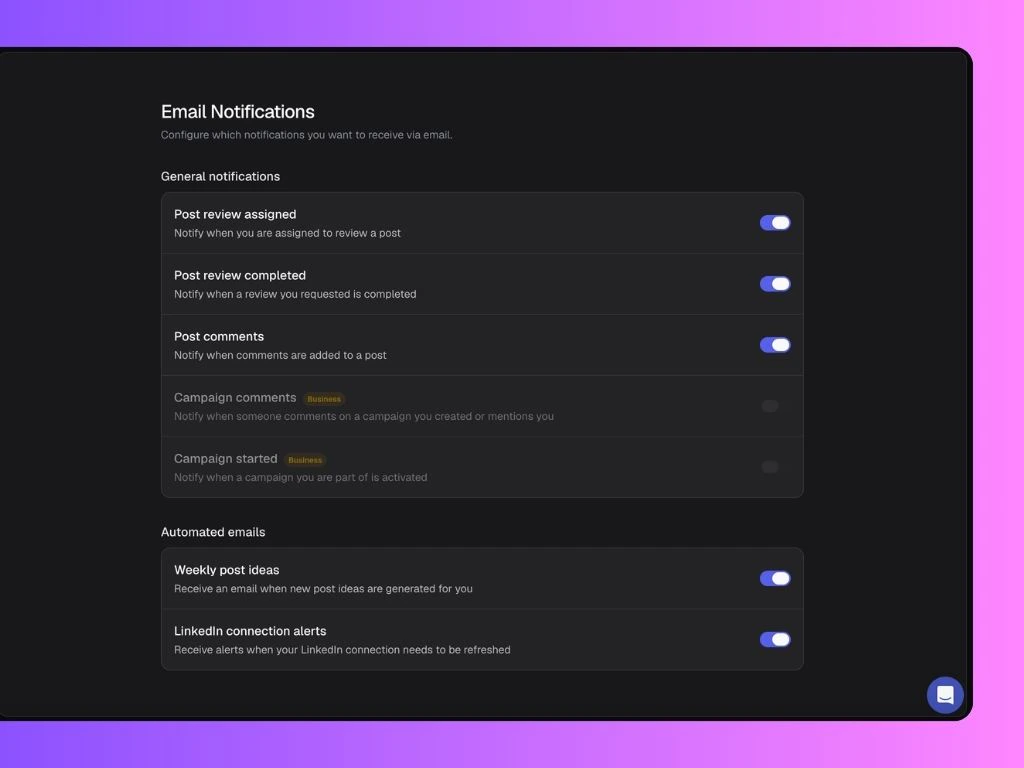
Click Email and/or Slack to access and customize which alerts you’d like to receive from your Scripe workspace:
**General Notifications include:**
* **Post review assigned:** Get notified when you're asked to review a post.
* **Post review completed:** Get notified when someone completes a review you requested.
* **Post comments:** Get notified when someone leaves a comment on a post.
* **Campaign comments:** Get notified when someone comments on a campaign you created or mentions you (Business only).
* **Campaign started:** Get notified when a campaign you are part of is activated (Business only).
* **Engagement requests (Slack only):** Get notified when someone requests engagement on a post.
**Automated emails include:**
* **Weekly post ideas:** Receive an email when new post ideas are generated for you.
* **LinkedIn connection alerts:** Receive alerts when your LinkedIn connection in Scripe needs to be refreshed.
Each option can be toggled on or off depending on your preferences.