> ## Documentation Index
> Fetch the complete documentation index at: https://docs.scripe.io/llms.txt
> Use this file to discover all available pages before exploring further.
# Billing
You can easily manage your subscription, payment methods, billing information, and invoices directly from your Scripe account settings.
## Upgrade or Downgrade
* **Upgrade your plan** depending on your needs.
* **Switch to yearly billing**: automatically save 20% by paying annually instead of monthly. Your subscription will update immediately, and the new billing cycle will apply from your next payment.
Downgrades between plans aren’t available. To switch to a lower tier, simply cancel your existing subscription and re-subscribe to the plan you prefer.
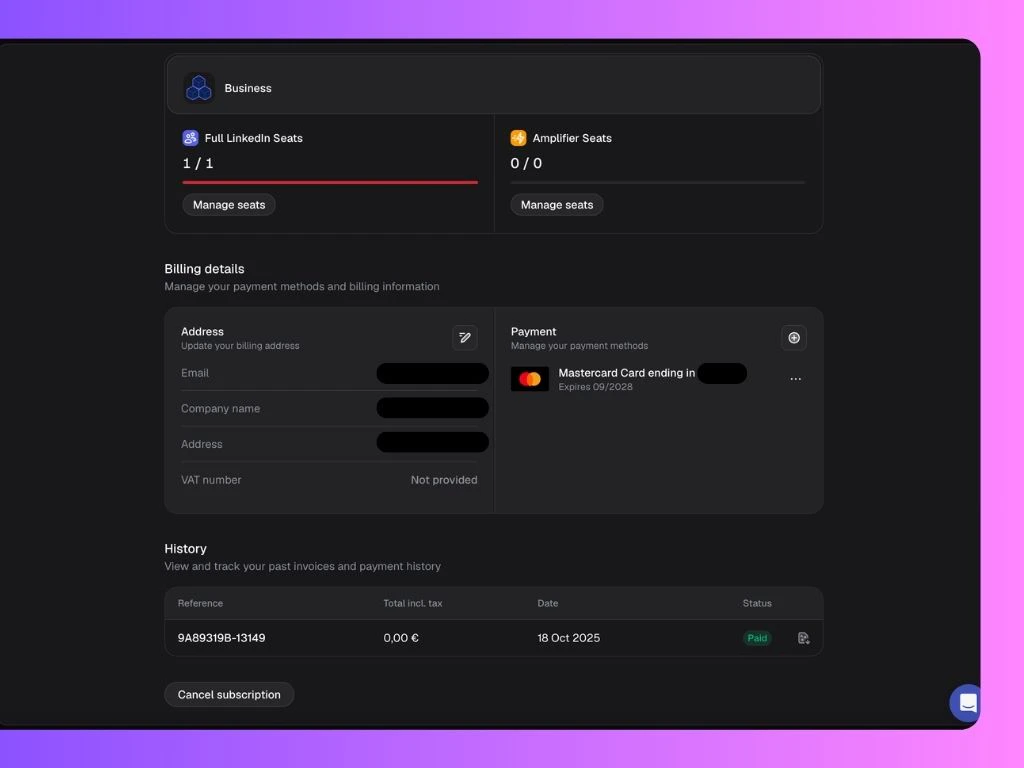 ## Manage Subscription
If you’re on the Advanced or Business plan, you can manage your subscription anytime through **Manage Seats** — where you can add or remove Full LinkedIn Seats and/or Amplifier Seats as needed.
The prorated charge for your change takes effect immediately.
You must [delete a Personal Brand](/settings/personalbrand) before **removing a seat** from your subscription.
## Manage Payment Methods & Billing Details
Under **Billing Details**, you can view and manage the billing address and all payment methods linked to your account.
If you have more than one payment method, you can set one as the **default**.
Updates on billing address will only apply to **new invoices**.
## Access and Download Past Invoices
* Under **Invoice History**, you’ll find a list of all your past invoices.
* Click on the invoice you want to download.
* A new page will open where you can click **Download Invoice** to save it.
## Manage Subscription
If you’re on the Advanced or Business plan, you can manage your subscription anytime through **Manage Seats** — where you can add or remove Full LinkedIn Seats and/or Amplifier Seats as needed.
The prorated charge for your change takes effect immediately.
You must [delete a Personal Brand](/settings/personalbrand) before **removing a seat** from your subscription.
## Manage Payment Methods & Billing Details
Under **Billing Details**, you can view and manage the billing address and all payment methods linked to your account.
If you have more than one payment method, you can set one as the **default**.
Updates on billing address will only apply to **new invoices**.
## Access and Download Past Invoices
* Under **Invoice History**, you’ll find a list of all your past invoices.
* Click on the invoice you want to download.
* A new page will open where you can click **Download Invoice** to save it.