> ## Documentation Index
> Fetch the complete documentation index at: https://docs.scripe.io/llms.txt
> Use this file to discover all available pages before exploring further.
# Editor Chat
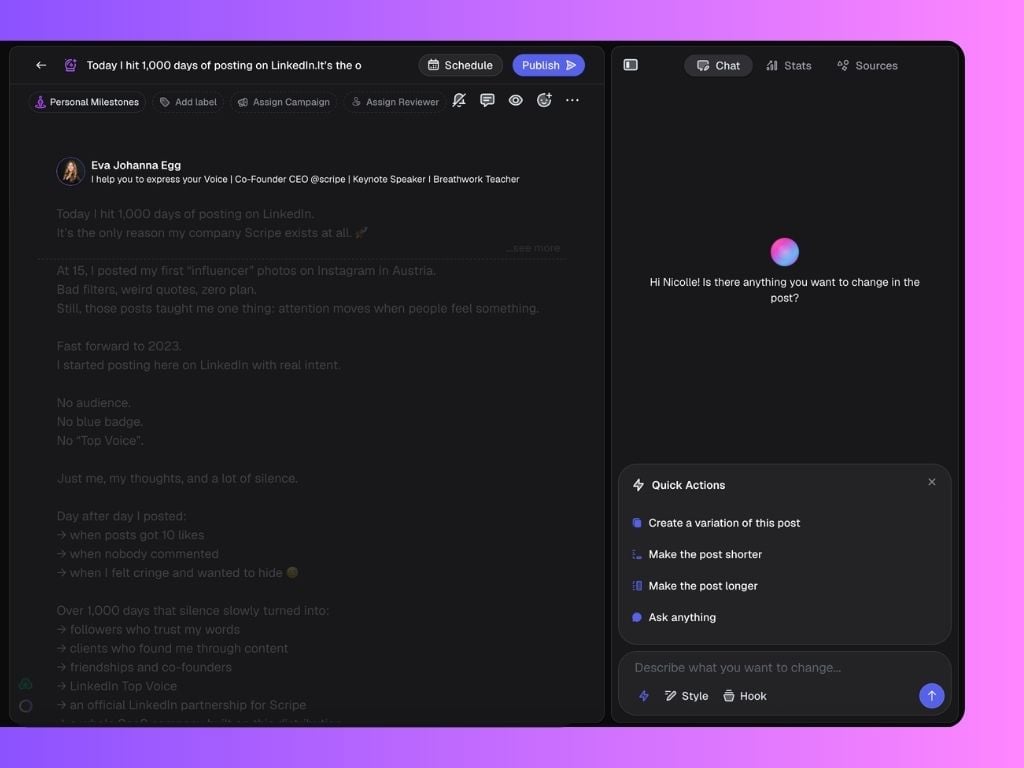
The Chat feature inside the editor acts as your personal writing assistant. It helps you quickly edit, rework, and polish your LinkedIn posts without leaving the editor.
 ## What You Can Do in Chat
You can use Chat to:
* **Create post variation**: Instantly generate an alternative version of your current post to compare or try new angles.
* After a variation is suggested, you can choose to **apply** it to your draft.
* If you want to revisit previous versions, you can always use the **Undo/Redo arrows** at the top of the Chat panel to move between edits easily.
You stay in **full control**. Nothing is replaced unless you decide to apply the variation.
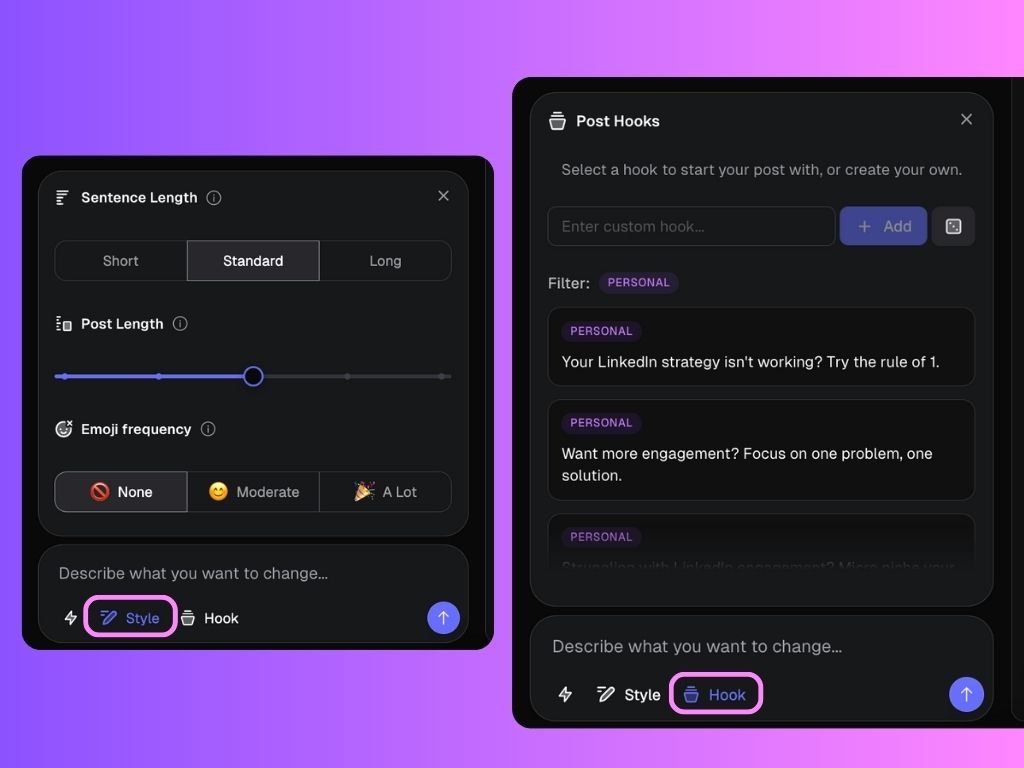
* **Change post length**: Shorten or expand your post based on your needs.
* **Change formatting and structure**: Reorganize the layout, fix flow, or improve the overall readability of your post.
* **Change hook**: Pick one from a curated list of high-converting opening lines.
## What You Can Do in Chat
You can use Chat to:
* **Create post variation**: Instantly generate an alternative version of your current post to compare or try new angles.
* After a variation is suggested, you can choose to **apply** it to your draft.
* If you want to revisit previous versions, you can always use the **Undo/Redo arrows** at the top of the Chat panel to move between edits easily.
You stay in **full control**. Nothing is replaced unless you decide to apply the variation.
* **Change post length**: Shorten or expand your post based on your needs.
* **Change formatting and structure**: Reorganize the layout, fix flow, or improve the overall readability of your post.
* **Change hook**: Pick one from a curated list of high-converting opening lines.
 ### Ask Chat for Help
Beyond rewriting your post, you can also **chat freely** with the Chat tool, just like you would with any other chat powered by AI.
You can ask questions or give instructions to improve your post, such as:
* "Can you make this post more engaging?"
* "Suggest a stronger hook for this topic."
* "What are three ways to end this post with a call to action?"
The Chat will respond with ideas, rewrites, or improvements based on your request, helping you fine-tune your post even further.
You don't have to stick to pre-set options. You can type any instruction that would help you craft a better LinkedIn post!
### Ask Chat for Help
Beyond rewriting your post, you can also **chat freely** with the Chat tool, just like you would with any other chat powered by AI.
You can ask questions or give instructions to improve your post, such as:
* "Can you make this post more engaging?"
* "Suggest a stronger hook for this topic."
* "What are three ways to end this post with a call to action?"
The Chat will respond with ideas, rewrites, or improvements based on your request, helping you fine-tune your post even further.
You don't have to stick to pre-set options. You can type any instruction that would help you craft a better LinkedIn post!