> ## Documentation Index
> Fetch the complete documentation index at: https://docs.scripe.io/llms.txt
> Use this file to discover all available pages before exploring further.
# LinkedIn Connection
Scripe is currently one of the only LinkedIn content platforms that is an **Official LinkedIn API Partner** — meaning your account connection is handled through LinkedIn’s official infrastructure, making it significantly more stable, secure, and future-proof than browser-extension-based tools.
## How to Connect Your LinkedIn
In case you have not connected your LinkedIn during onboarding, you can connect it anytime in two simple ways:
### 1. From Your Dashboard
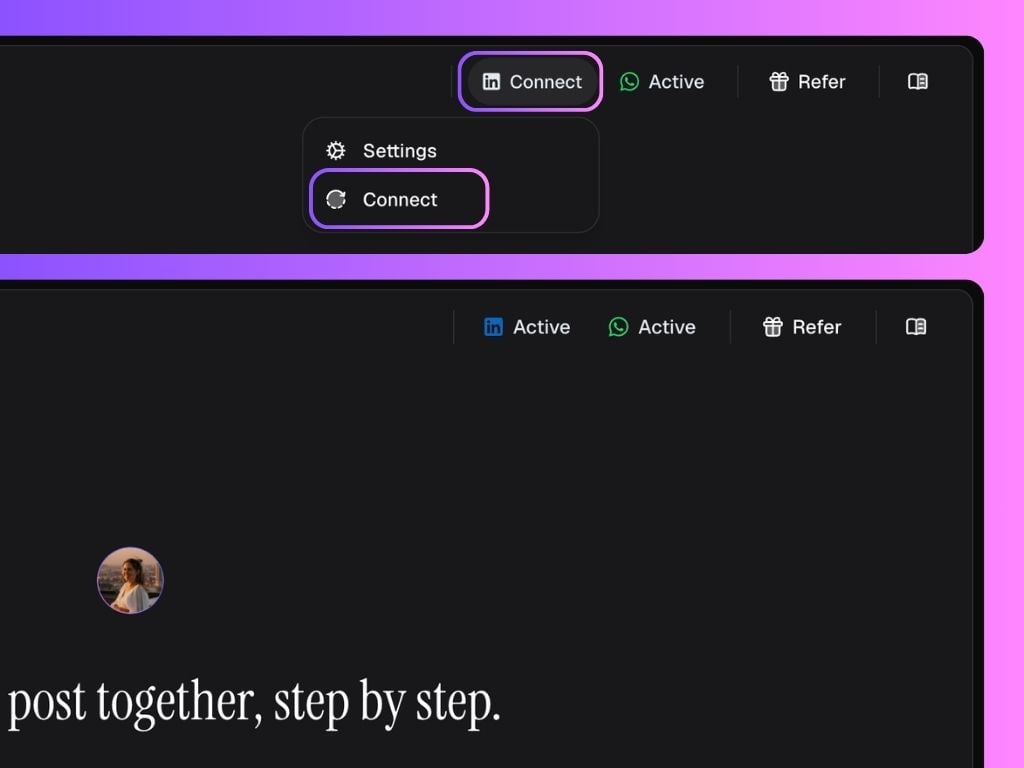
* On your Personal Brand dashboard, click **Connect** in the top right corner
* This will prompt you to connect your LinkedIn account
* Once connected, the badge will state **Active**
 ### 2. From the Personal Brand Settings
* Go to the Workspace Settings
* Select the **Personal Brand** you want to connect
* Click **Disconnect**/**Connect**
* This will prompt you to connect your LinkedIn account
### 2. From the Personal Brand Settings
* Go to the Workspace Settings
* Select the **Personal Brand** you want to connect
* Click **Disconnect**/**Connect**
* This will prompt you to connect your LinkedIn account